

How to Connect APIs with Chatbot Flows
Call an external API from inside a chatbot flow and use its response to drive the conversation.
Advanced 6 min read
Tutorial video coming soon
What You'll Learn
In this tutorial you'll learn:
- Configure a Webhook step's request
- Map the response into a flow variable
Prerequisites
Before you start:
- An HTTPS endpoint you want the flow to call
Step-by-Step Guide
1
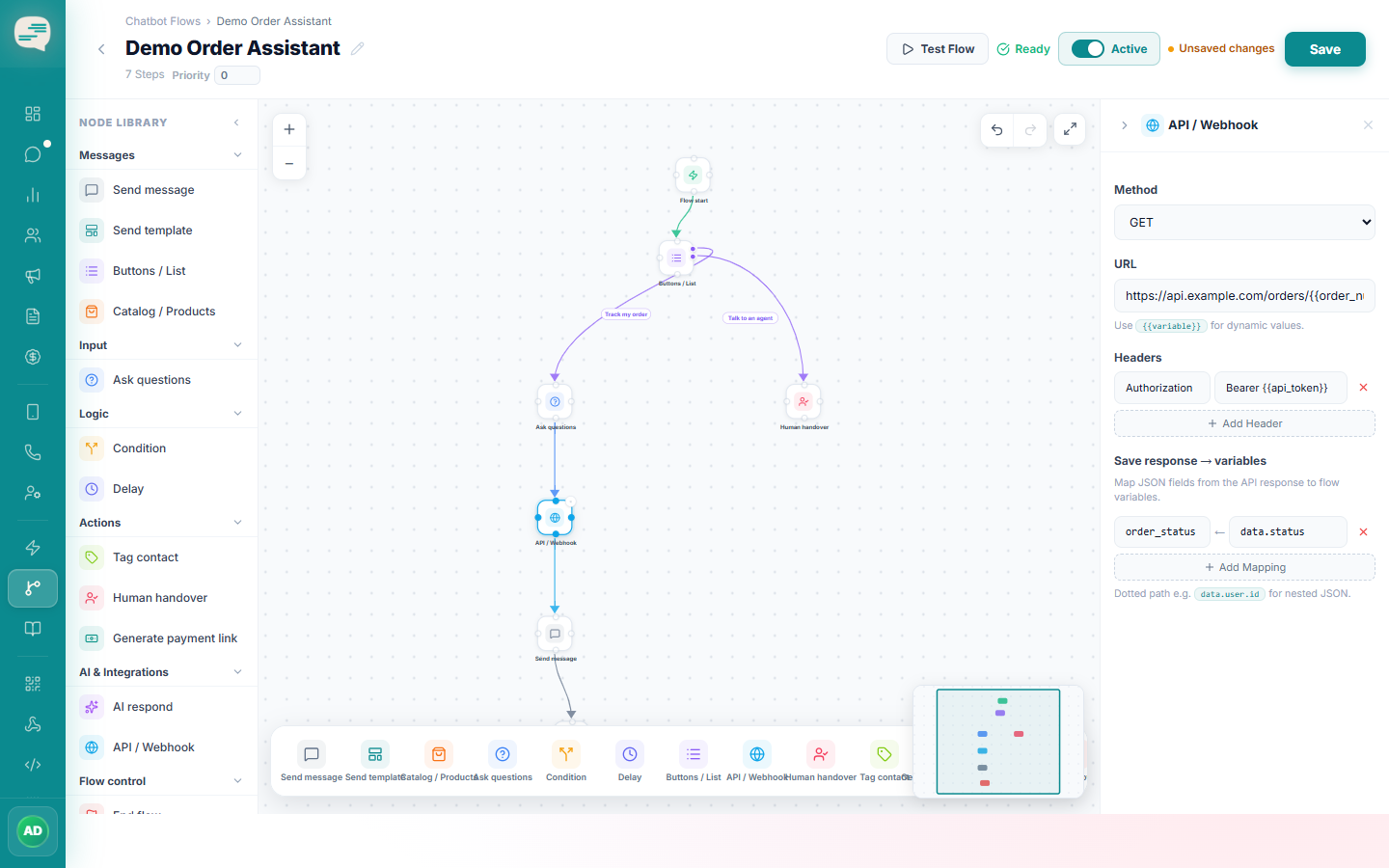
Add a Webhook step
Choose the HTTP method (GET, POST, PUT, or PATCH) and enter the destination URL.
2
Configure headers and body
Add custom headers (you can reference {{variables}} inside header values) and a request body if needed.
3
Map the response
Specify a path into the JSON response to pull a value out and store it in a flow variable for use in later steps.
Important
There's no dedicated auth-type selector — if the API needs a bearer token or API key, add it as a custom header. There's also no separate "on failure" branch: the flow moves on to its next step regardless of whether the call succeeds.