

How to Add Conditions & Branches
Branch a chatbot flow based on what the customer said, their tags, or business hours.
Intermediate 4 min read
Tutorial video coming soon
What You'll Learn
In this tutorial you'll learn:
- Add a Condition step and wire up its true/false branches
Step-by-Step Guide
1
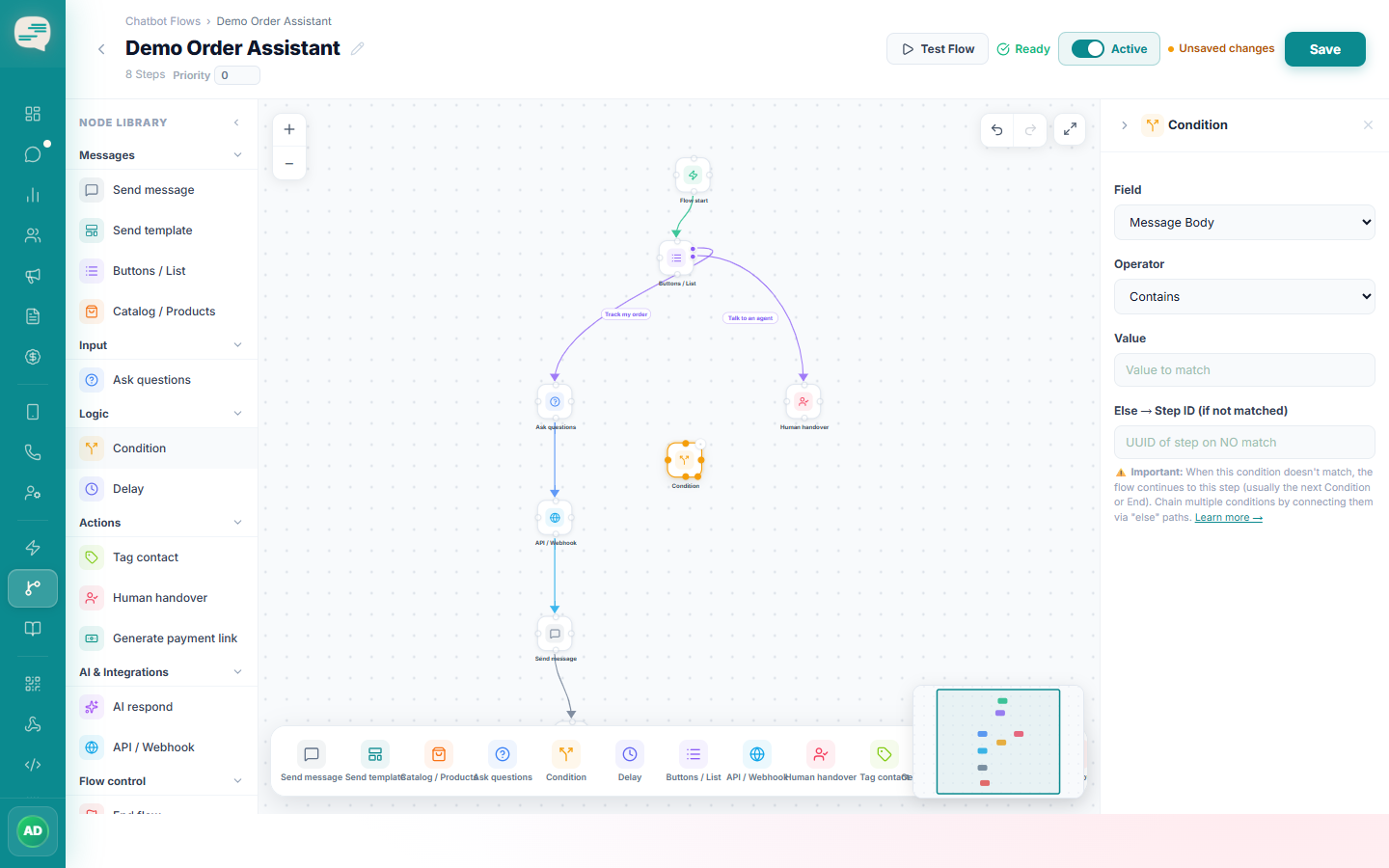
Add a Condition step
Choose what to evaluate: the message body, a contact tag, who the conversation is assigned to, or business hours.
2
Choose an operator
Conditions inside the flow builder support a richer set of matches than simple automation rules, including "contains any of" and regular expressions for advanced matching.
3
Connect both branches
Connect the matching path to one next step, and the non-matching path to a different one (or leave it to fall through to the default next step).