

How to Use Variables in Chatbot Flows
Store and reuse information captured during a conversation using {{variable}} placeholders.
Intermediate 3 min read
Tutorial video coming soon
What You'll Learn
In this tutorial you'll learn:
- Reference built-in and custom variables in a message
- Save an answer or an API response into a variable
Step-by-Step Guide
1
Use built-in variables
Reference {{name}} or {{phone}} anywhere in a message to insert the contact's own name or number.
2
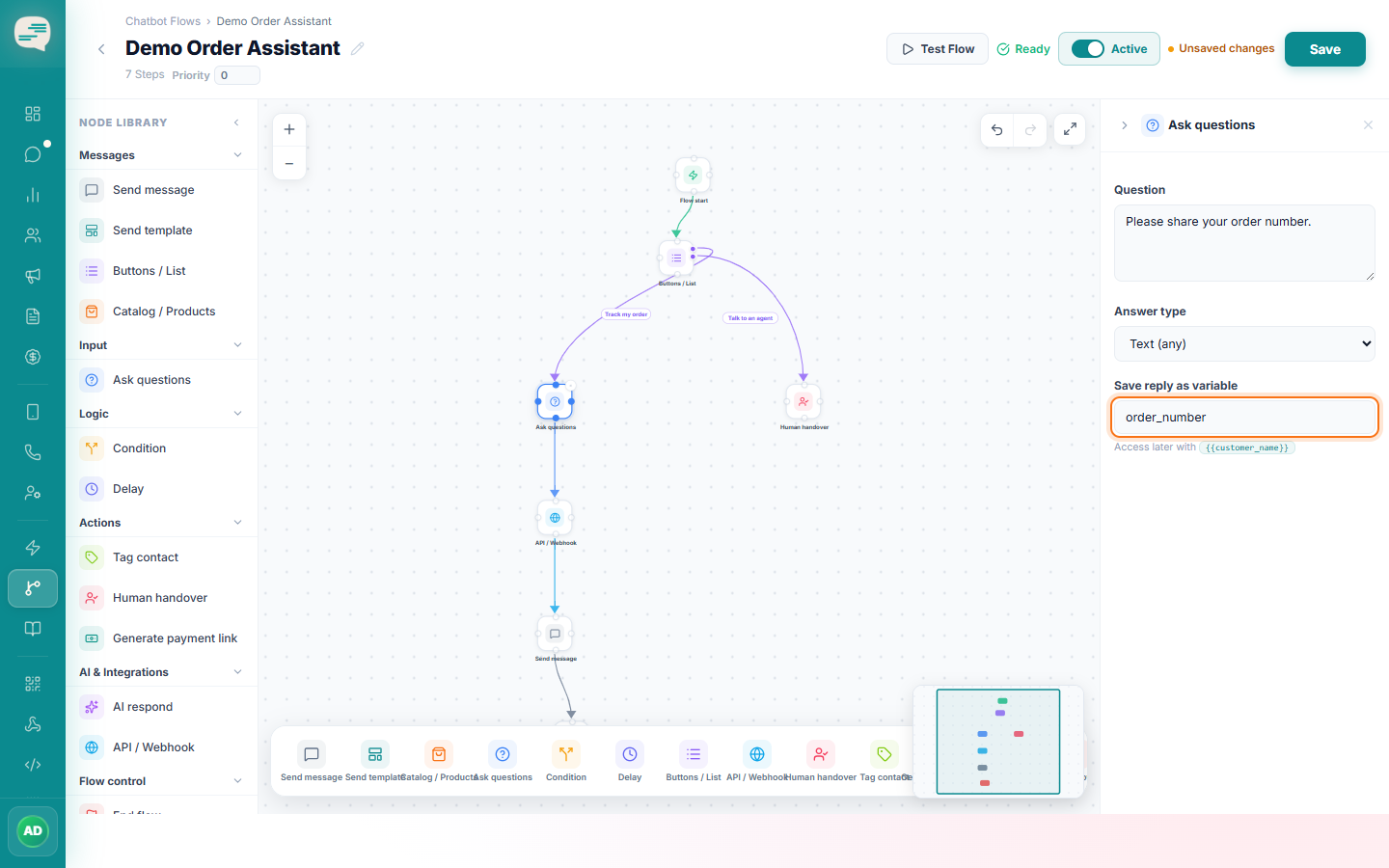
Save a custom variable
An Ask Question step's "save answer as" field stores the customer's reply under a variable name you choose, e.g. {{preferred_time}}.
3
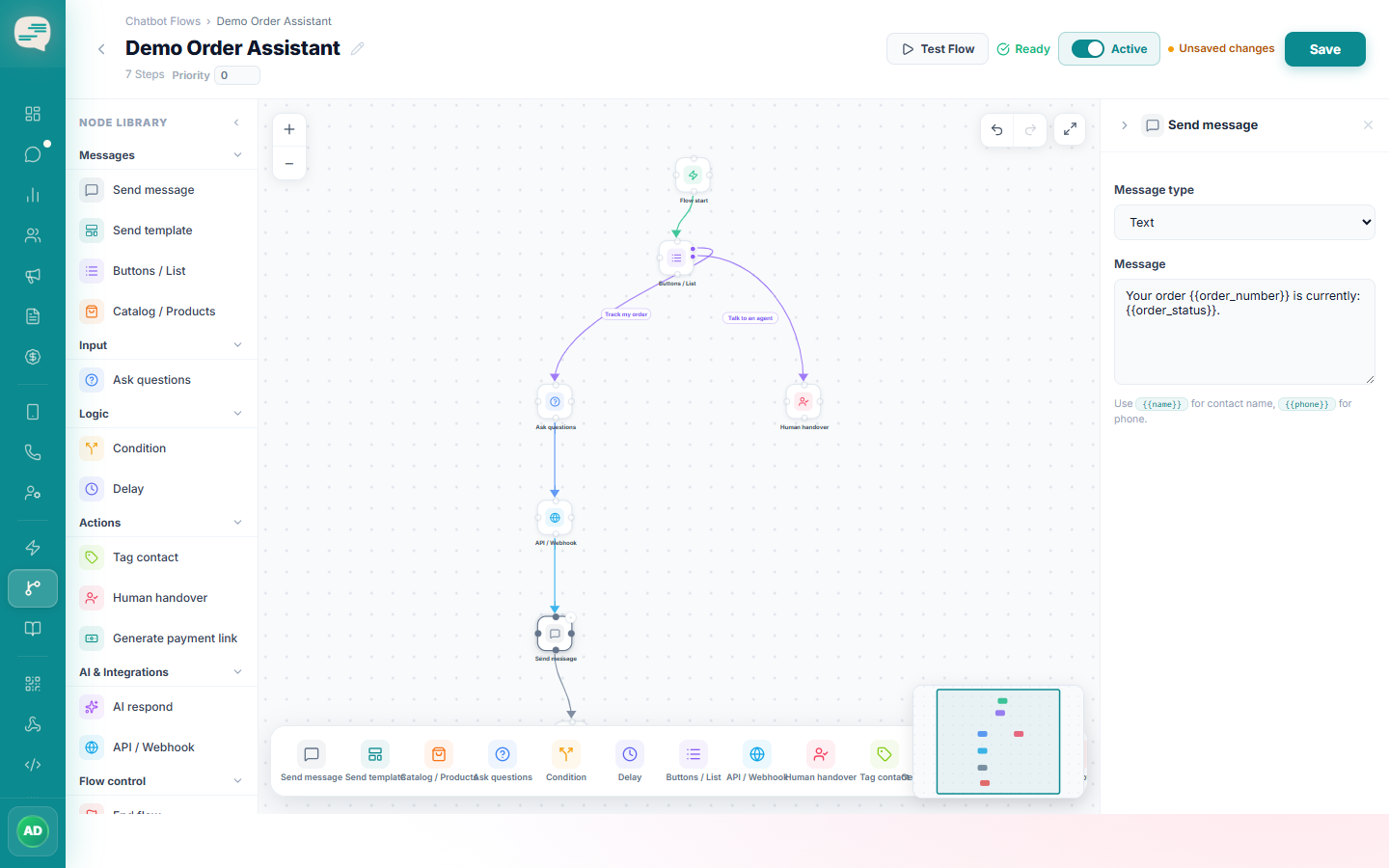
Reference it later
Use {{preferred_time}} in any later step's message text to bring that saved answer back into the conversation.
Tip
Variables use double-curly-brace syntax, {{variable}} — not an @variable style.