

How to Track Campaign Delivery & Read Rates
See exactly how many recipients your campaign reached, delivered to, and who read it — driven by real delivery status from WhatsApp.
Beginner 3 min read
Tutorial video coming soon
What You'll Learn
In this tutorial you'll learn:
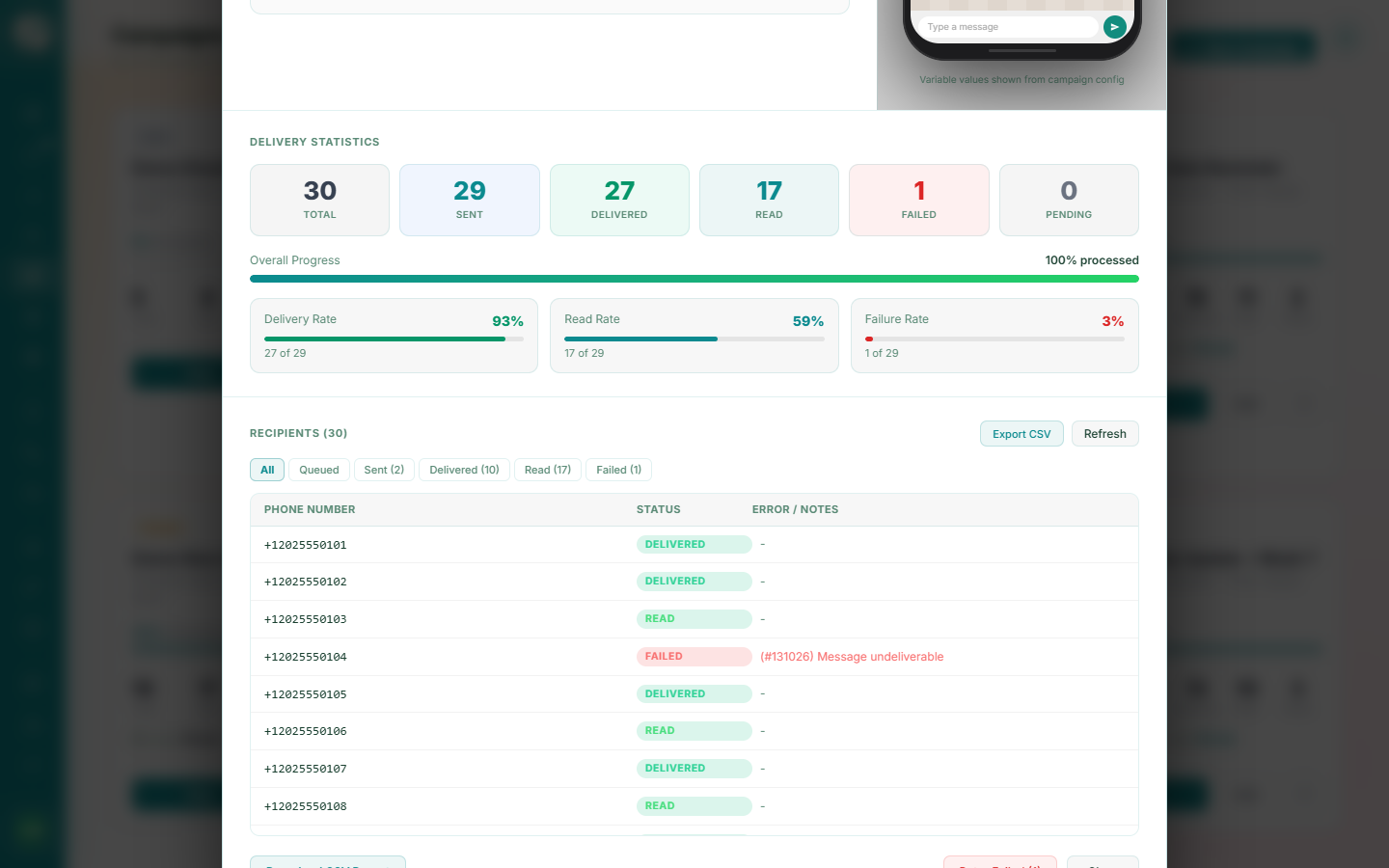
- Read a campaign's per-recipient status breakdown
- Understand what "read" really measures
Step-by-Step Guide
1
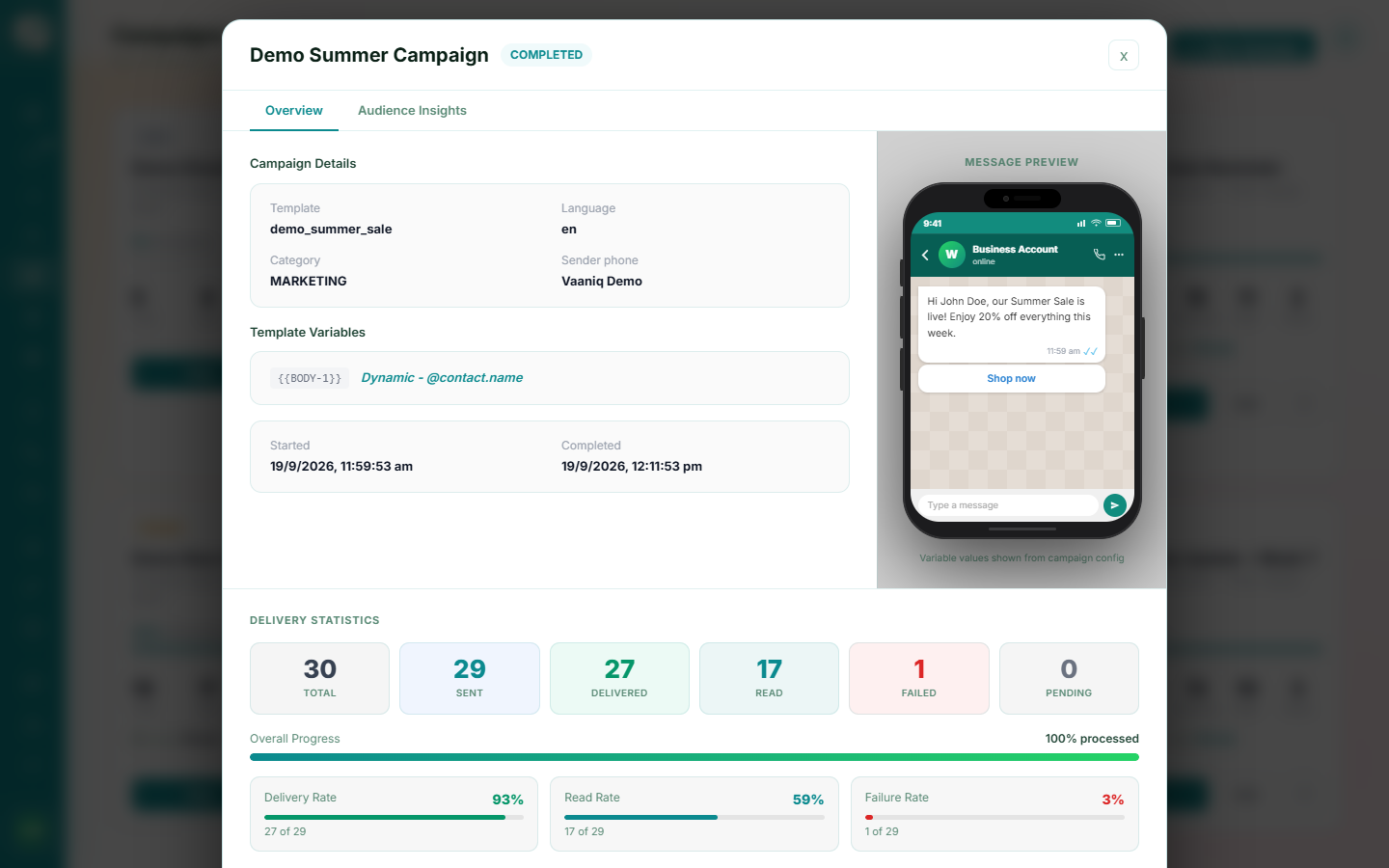
Open the campaign detail view
Dashboard → Campaigns → open a campaign
See a running summary of sent, delivered, read, and failed counts as the campaign progresses.
2
Understand read receipts
"Read" status is only reported if the recipient has read receipts enabled on their own device — a WhatsApp-wide behaviour, not something Vaaniq controls. A delivered-but-unread message doesn't necessarily mean the customer ignored it.