

How to Create Your First WhatsApp Campaign
Send a bulk WhatsApp template message to a list of contacts — from picking a template to launching the send.
Tutorial video coming soon
What You'll Learn
In this tutorial you'll learn:
- Create a new campaign and choose an approved template
- Add recipients and review the cost estimate
- Launch the campaign and monitor progress
Prerequisites
Before you start:
- An approved WhatsApp template
- At least one contact, group, or tag to send to
- An active phone number
Step-by-Step Guide
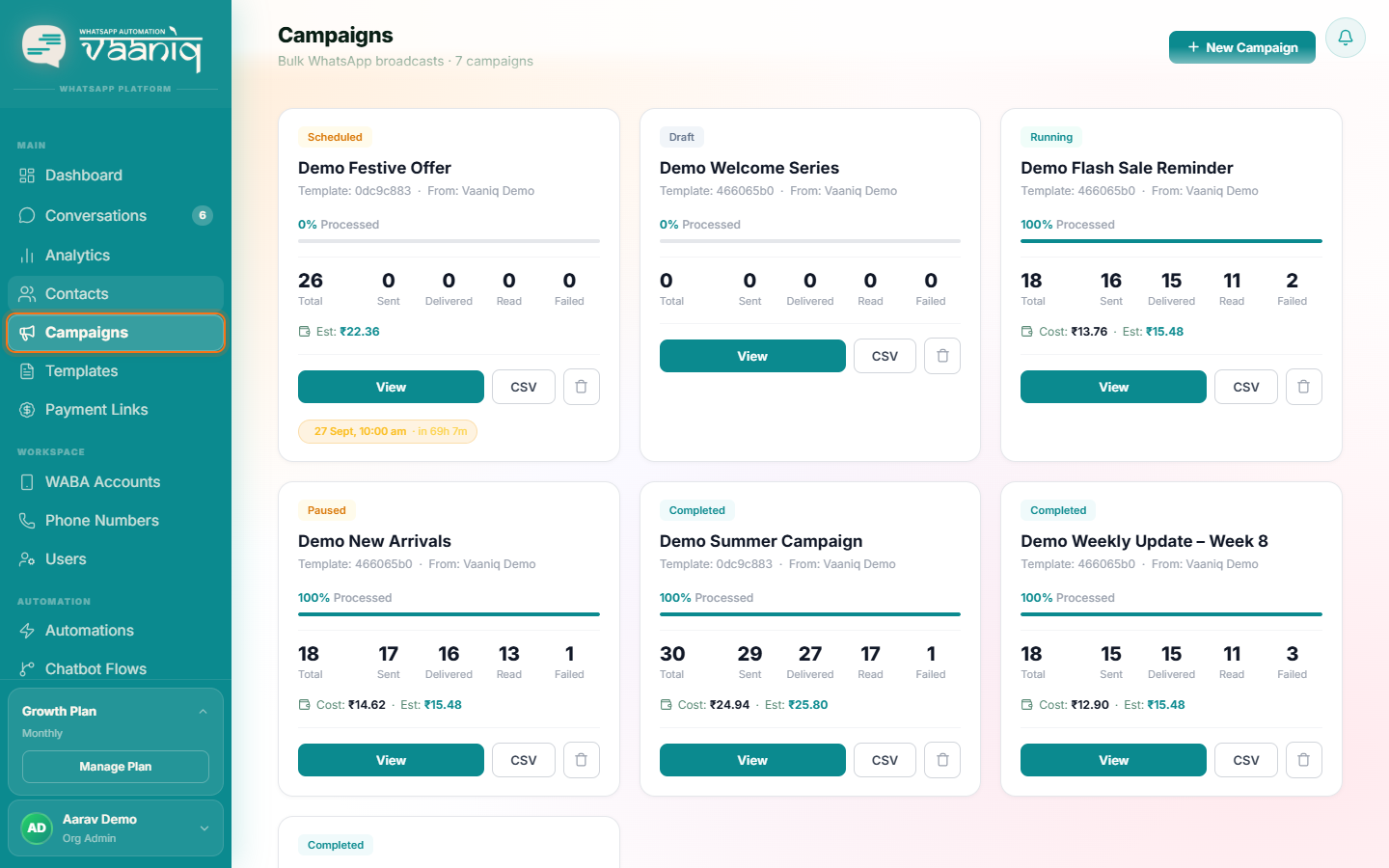
Start a new campaign
Give the campaign an internal name — recipients never see it.
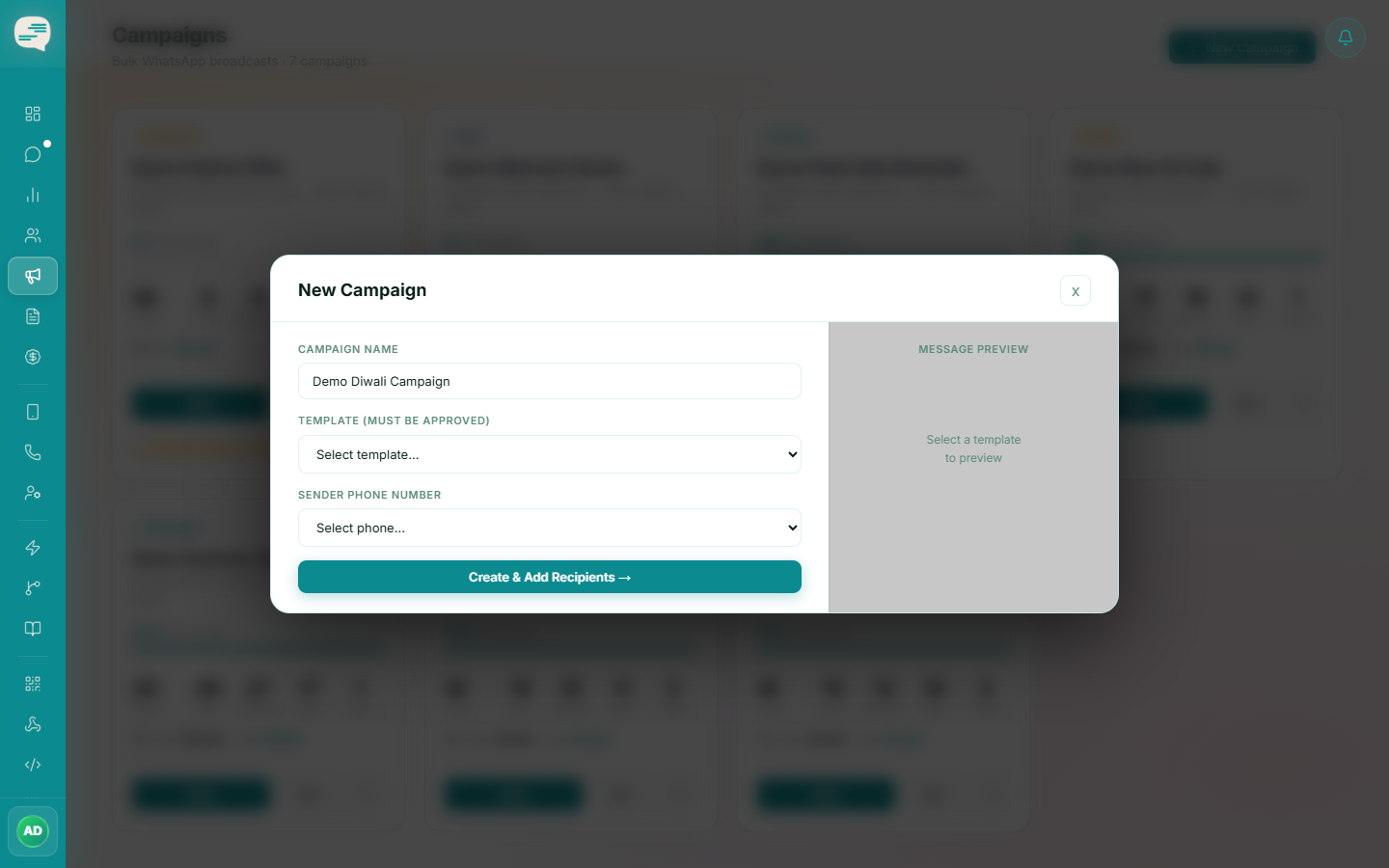
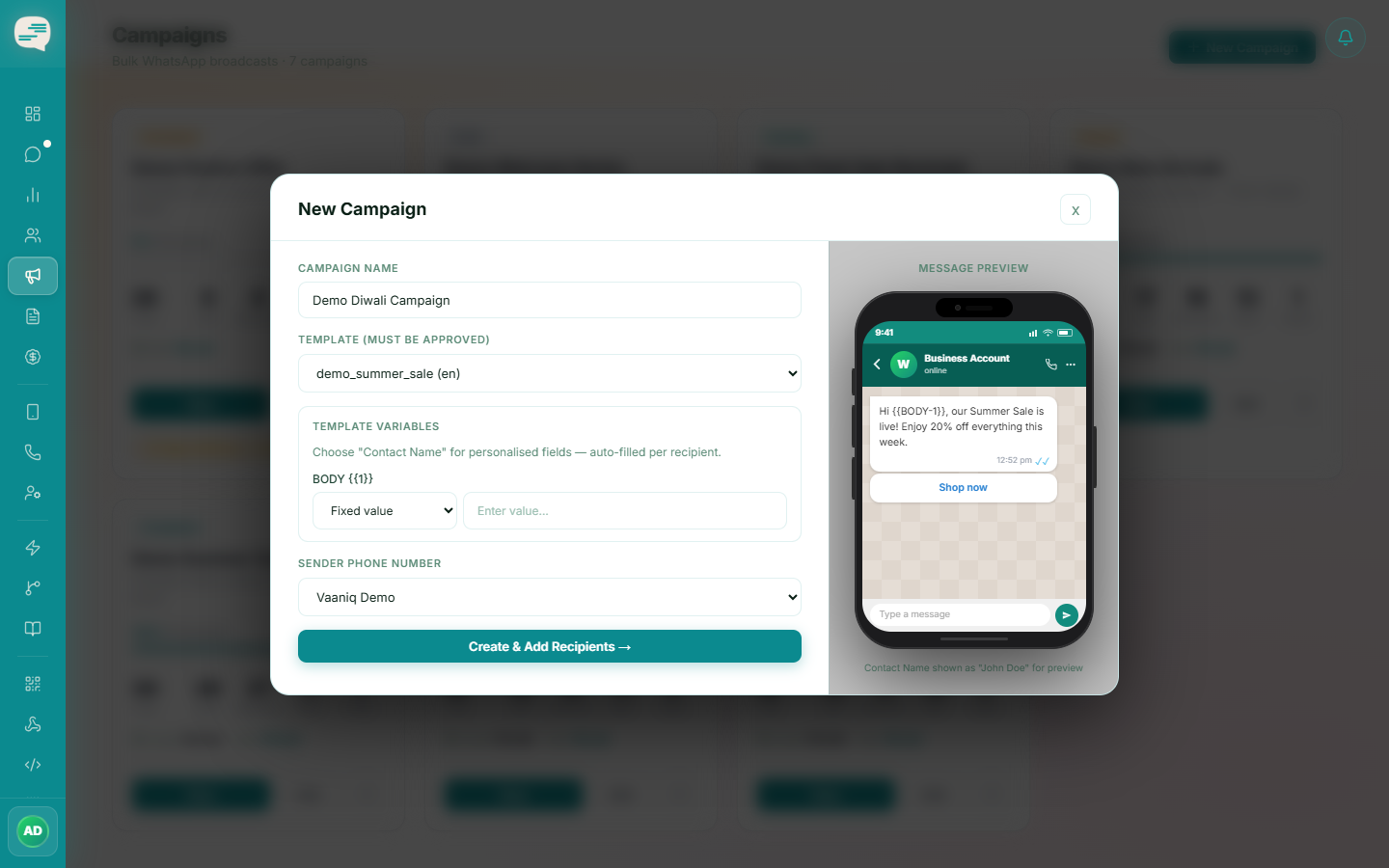
Choose a template and phone number
Only APPROVED templates are offered — pending or rejected templates aren't available for a campaign.
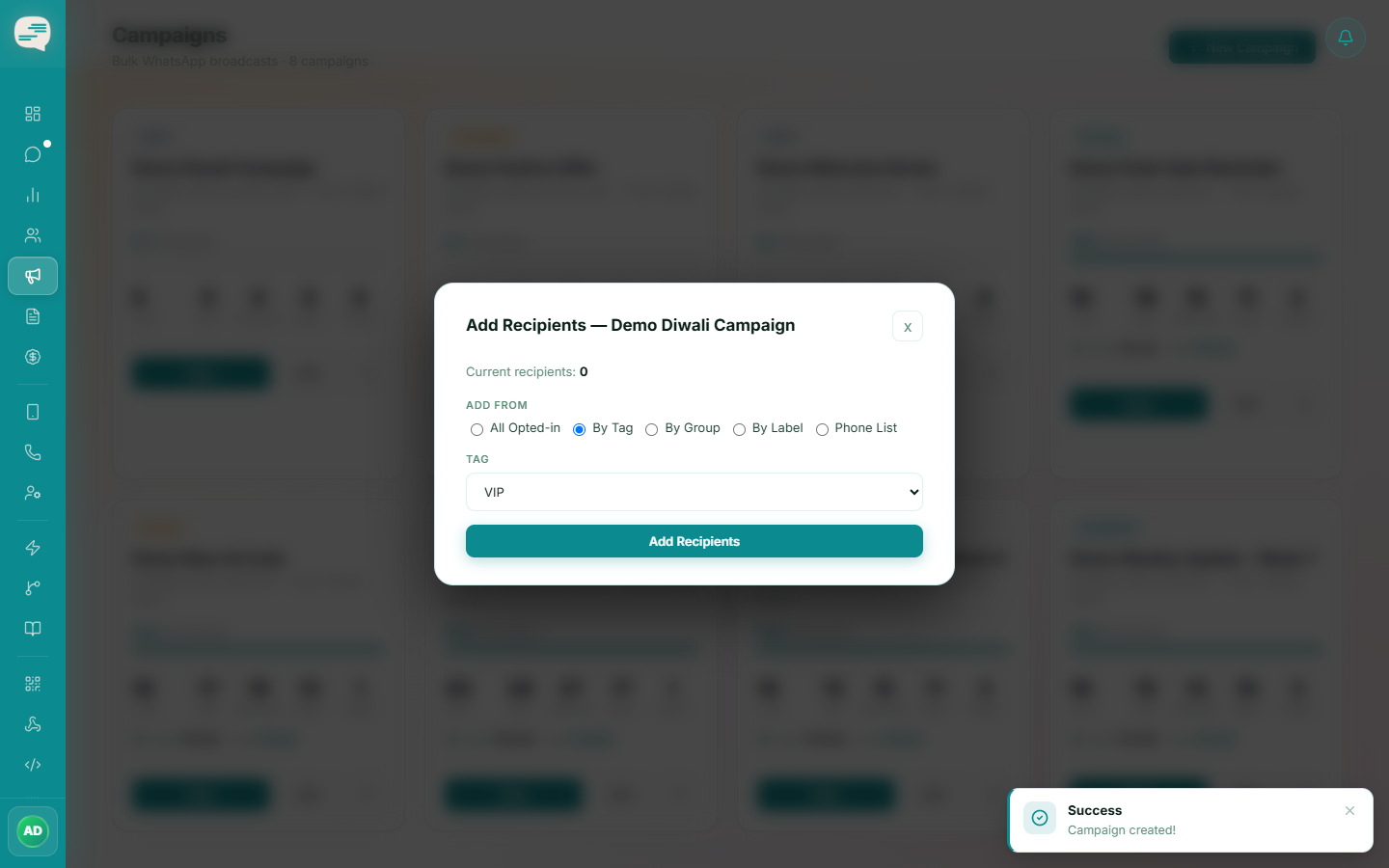
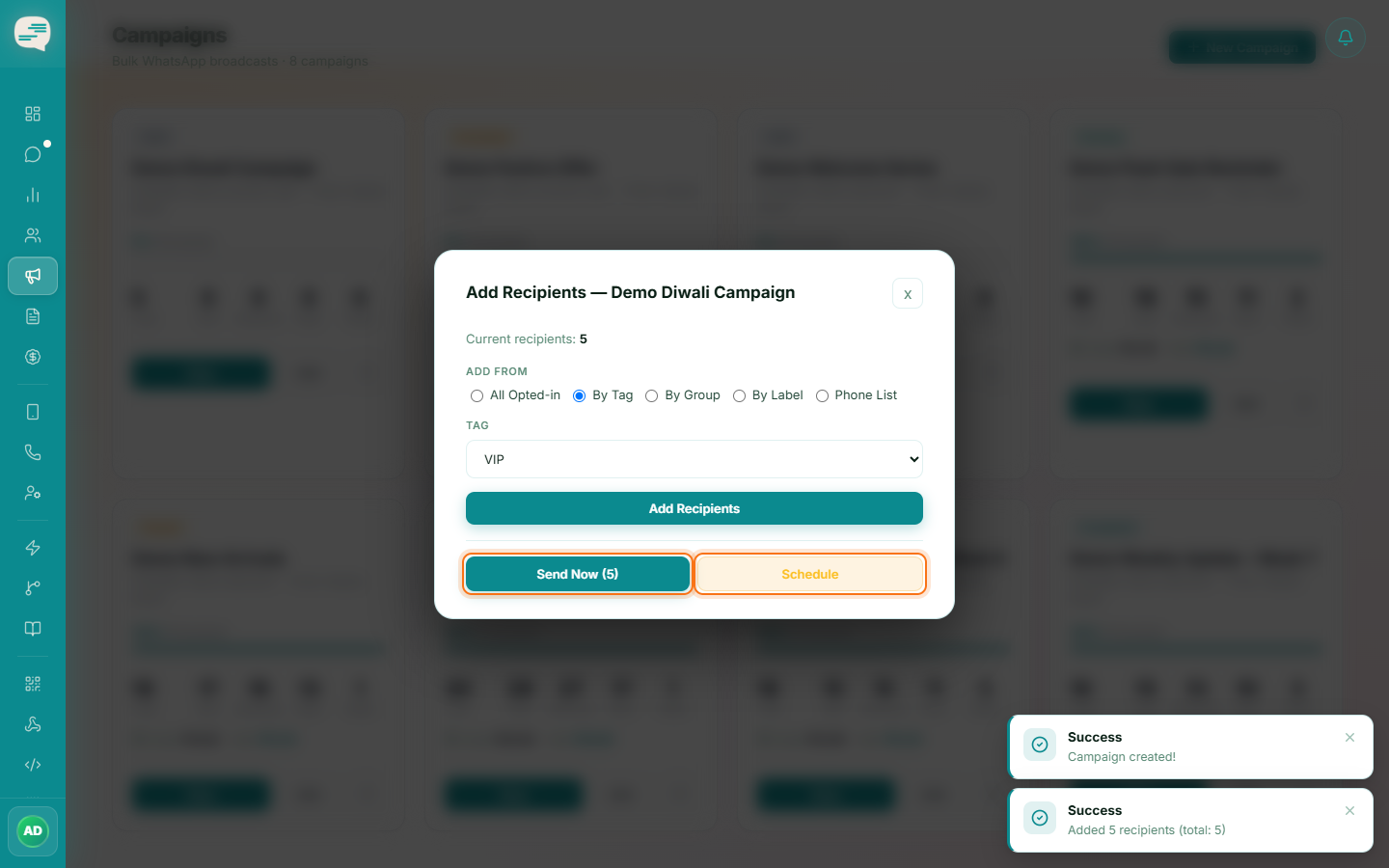
Add recipients
Pick individual contacts, a Tag, a Group, a conversation Label, or upload a plain phone list, or send to everyone currently opted in.
Review and launch
Check the credit cost estimate, then choose Send Now or Schedule for later, and click Launch.
Monitor progress
The campaign detail view shows live per-recipient status: queued, sent, delivered, read, or failed.
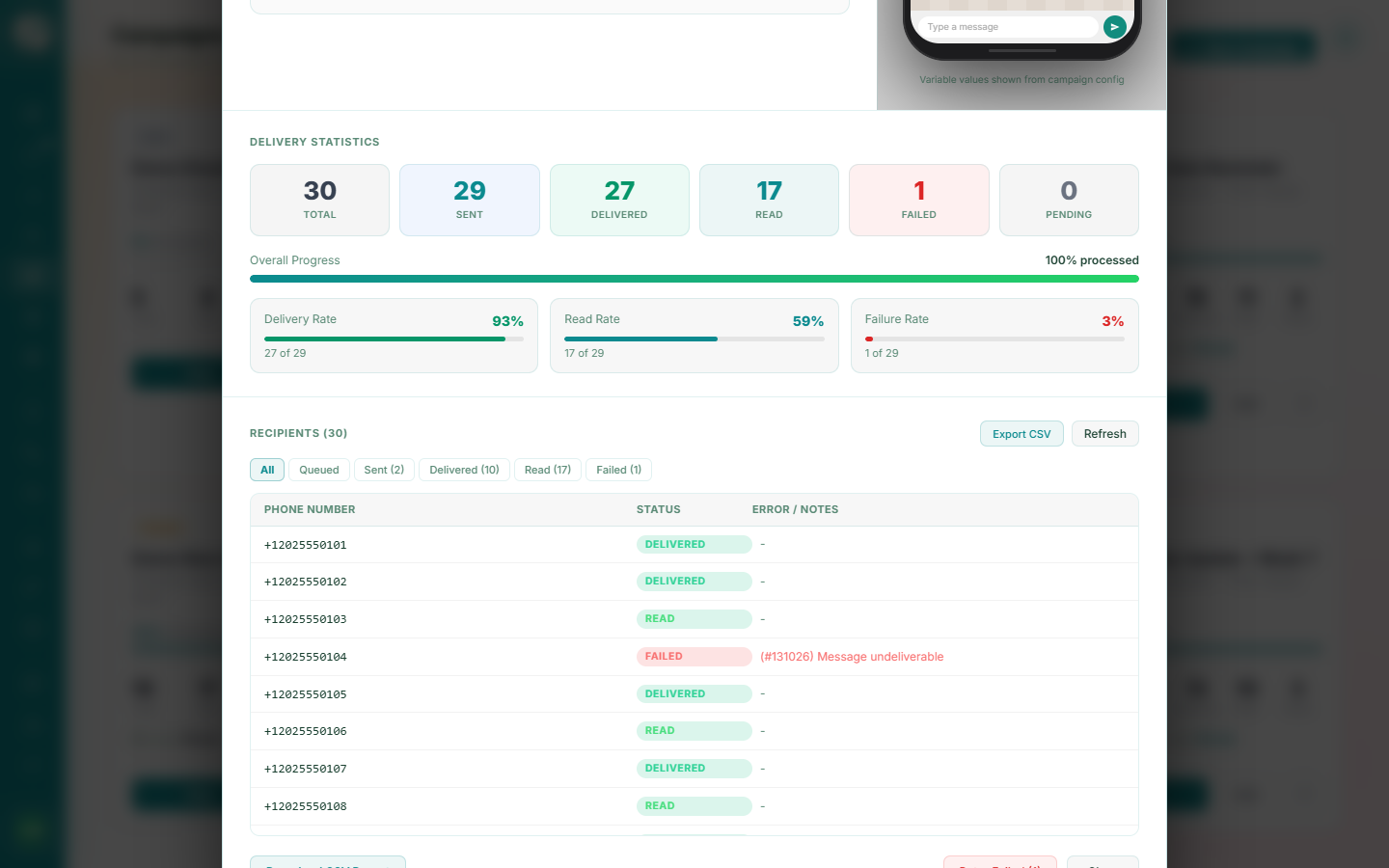
You can pause a running campaign at any time and resume it later without losing progress.