

How to Personalize Campaign Messages
Map a template's variables to a contact's name or phone number so every recipient gets a personalised message.
Intermediate 3 min read
Tutorial video coming soon
What You'll Learn
In this tutorial you'll learn:
- Map a template variable to a contact field
Prerequisites
Before you start:
- A template with at least one {{1}} style variable
Step-by-Step Guide
1
Open variable mapping
When building a campaign with a template that has variables, each one shows a field to map.
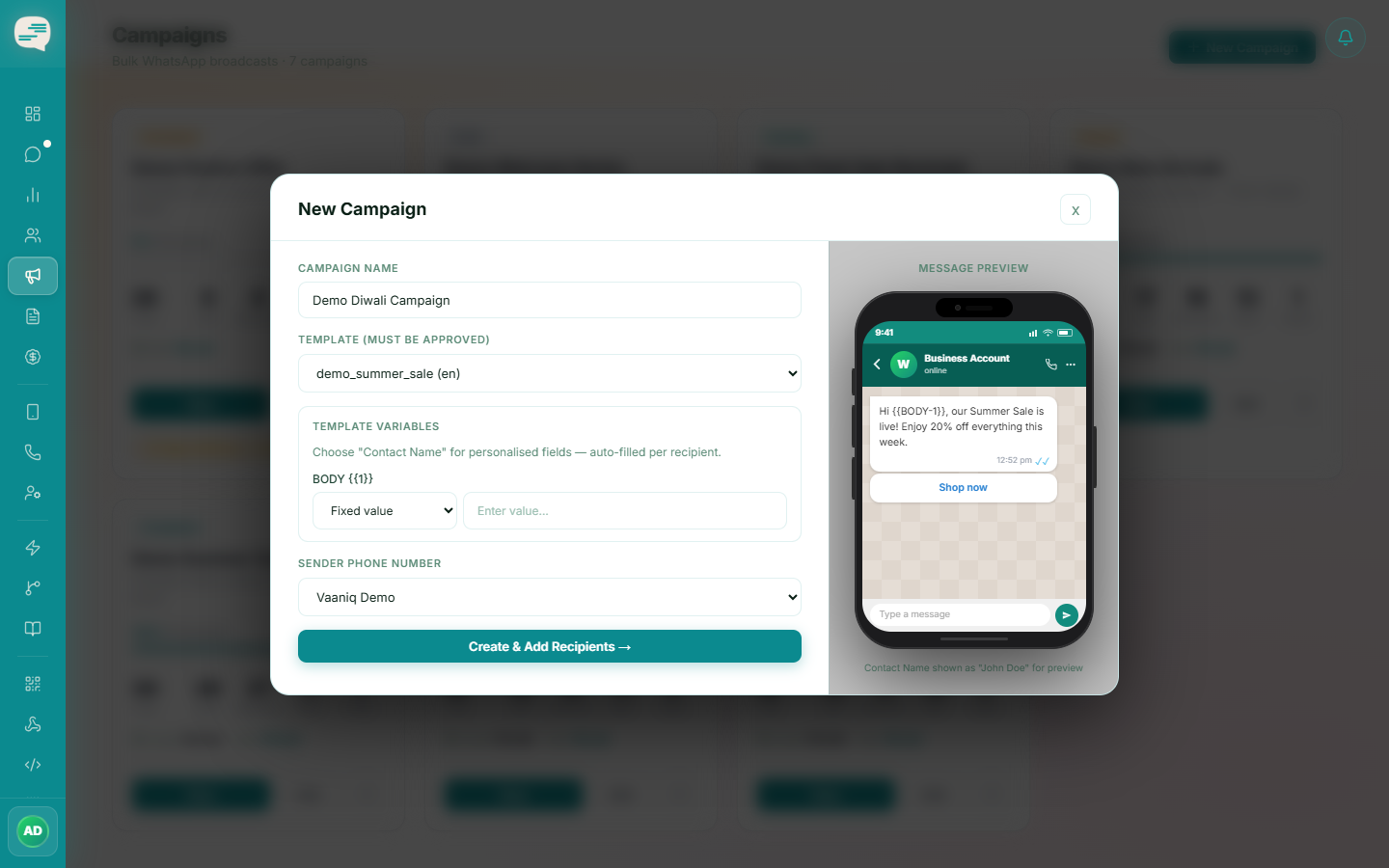
2
Map to a contact field or static text
Choose @contact.name or @contact.phone to auto-fill each recipient's own name or number, or enter fixed text that's the same for everyone.
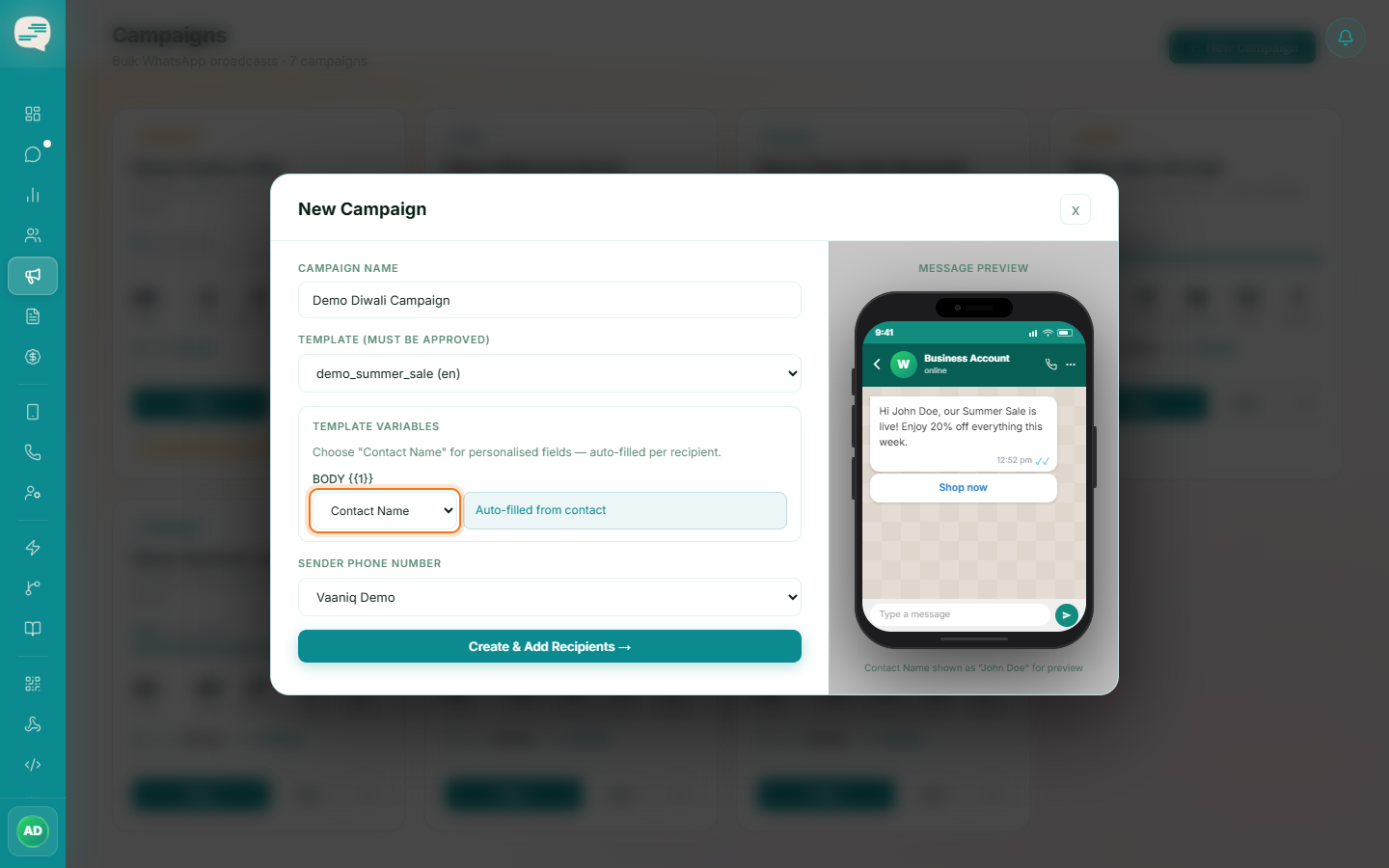
3
Check the preview
The preview shows a sample substitution so you can confirm it reads correctly before launching.
Tip
Only a contact's name and phone number can be mapped as personalization variables today — other contact fields aren't supported as campaign variables yet.