

How to Create Media Templates
Add an image, video, or document header to a template.
Intermediate 3 min read
Tutorial video coming soon
What You'll Learn
In this tutorial you'll learn:
- Attach a media header to a template
Step-by-Step Guide
1
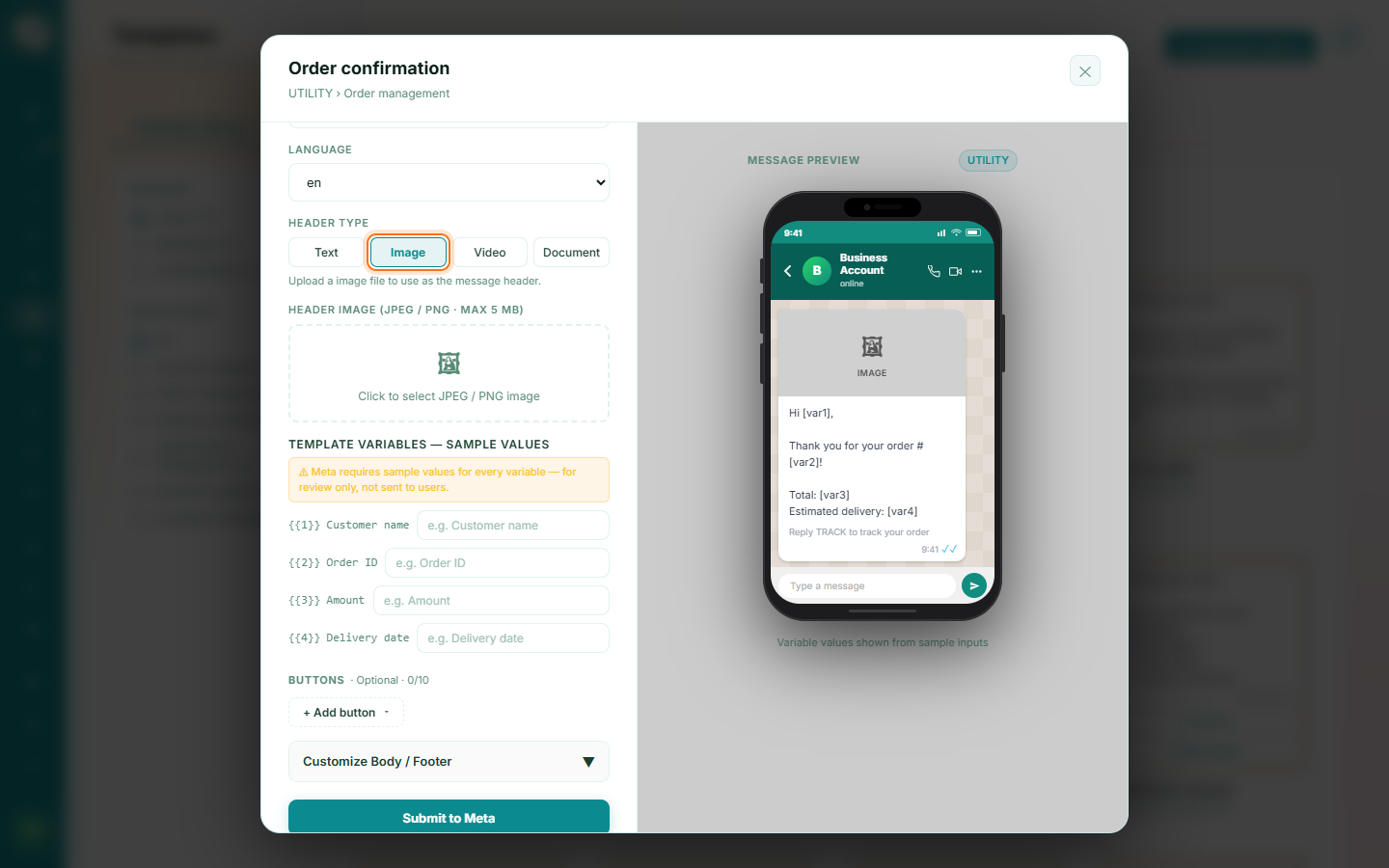
Choose a media header type
When creating a template, set the header type to Image, Video, or Document instead of text.
2
Upload the media
Upload the file for the header. It's processed through Meta's media pipeline before the template can be submitted.