

How to Add Buttons to Templates
Add call-to-action buttons (URL or phone number) or quick-reply buttons to a template.
Intermediate 4 min read
Tutorial video coming soon
What You'll Learn
In this tutorial you'll learn:
- Add a URL, phone number, or quick-reply button
- Understand button text restrictions
Step-by-Step Guide
1
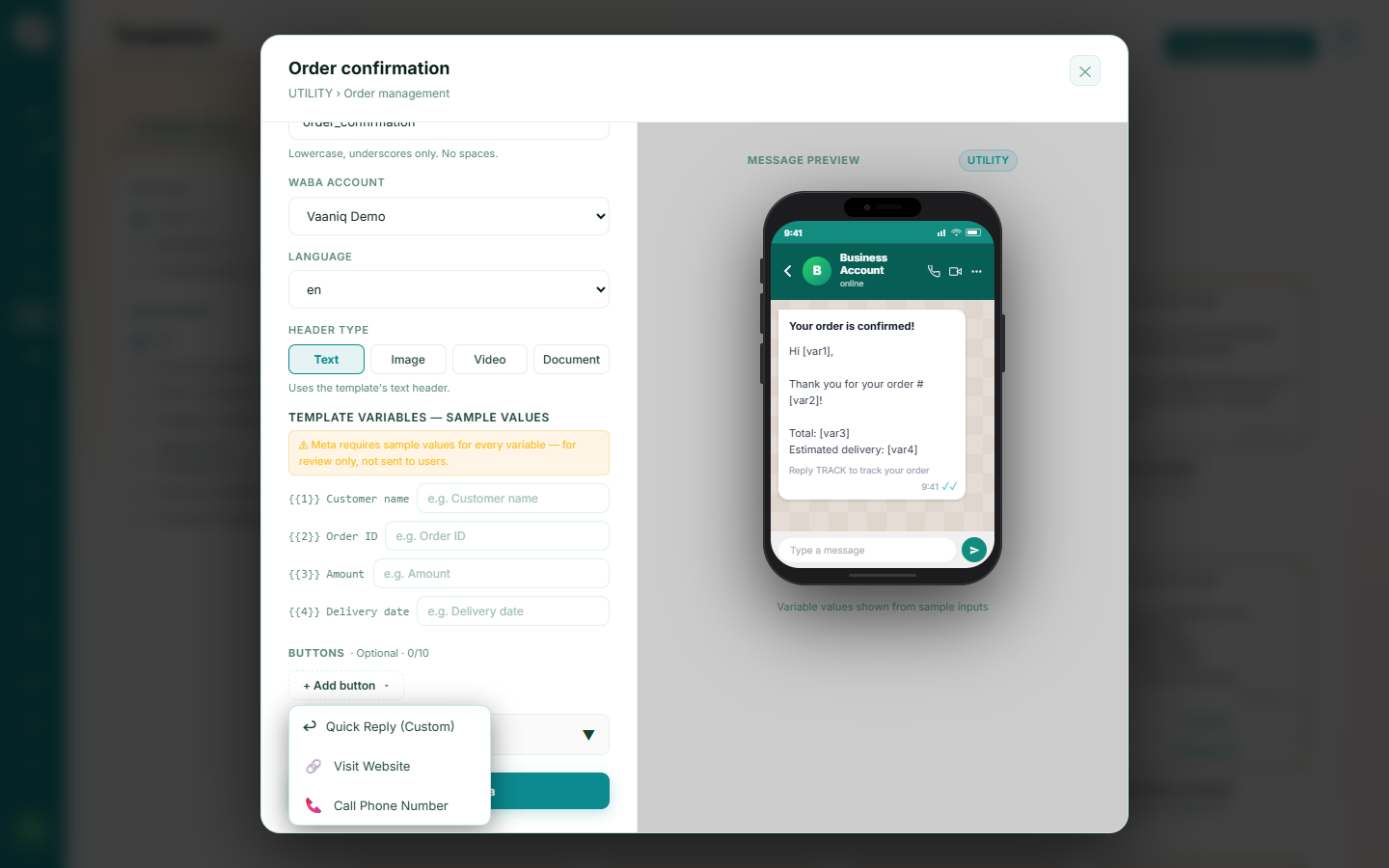
Choose a button type
Available types are: a URL button (opens a link), a Phone Number button (starts a call), and Quick Reply buttons (send a preset reply back).
2
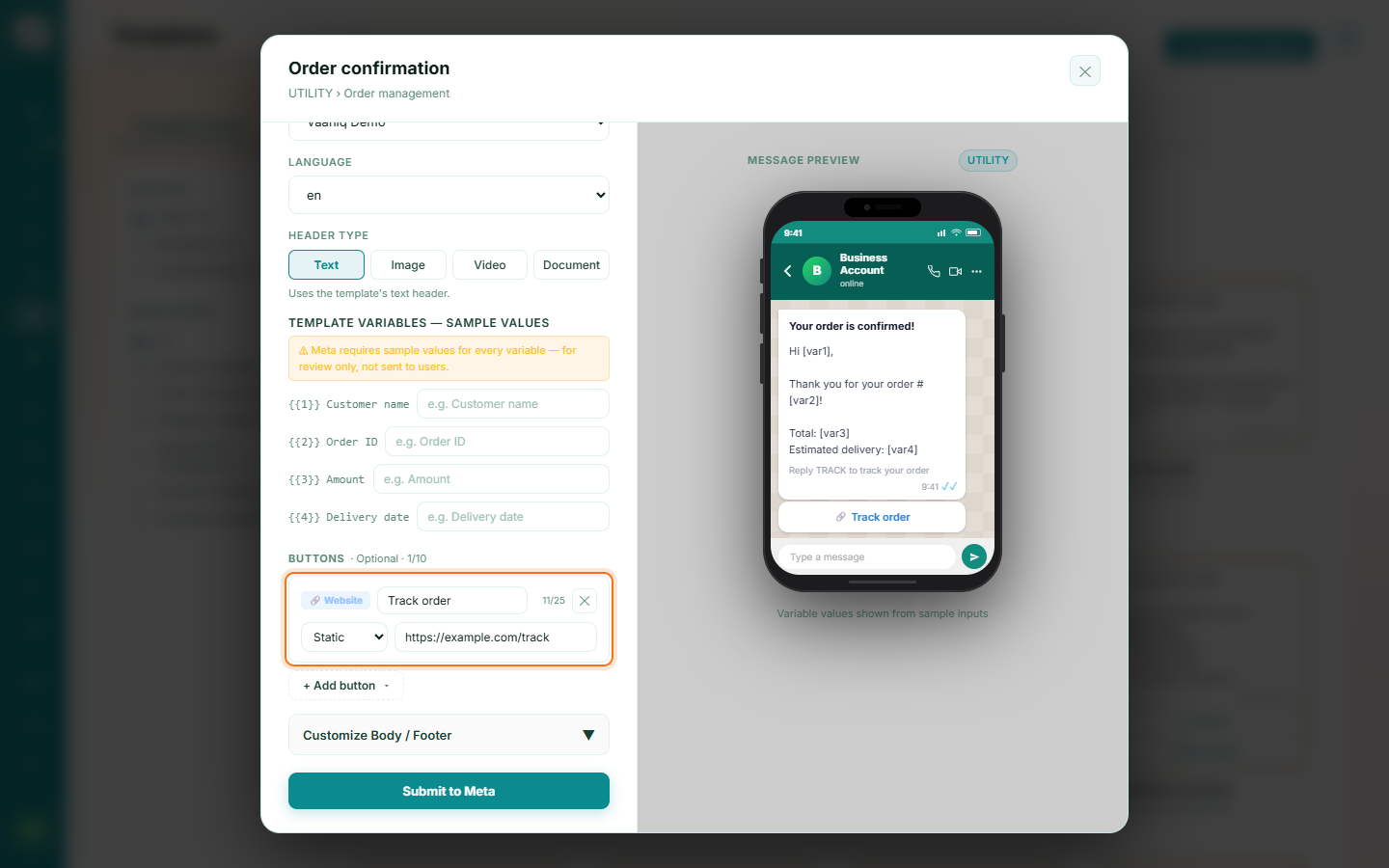
Fill in the button details
Every button needs its own text label. URL buttons need a destination link; phone buttons need a number. Button text cannot contain emojis or variable placeholders.
Tip
URL buttons can include a {{1}} variable at the end of the link for per-recipient click tracking in campaigns.