

How to Connect Knowledge Base to a Chatbot
Add an AI Answer step to a chatbot flow and point it at a Knowledge Base so it can answer questions automatically.
Intermediate 4 min read
Tutorial video coming soon
What You'll Learn
In this tutorial you'll learn:
- Add an AI Answer step to a flow
- Select which Knowledge Base it should use
Prerequisites
Before you start:
- At least one Knowledge Base with content in it
- A chatbot flow
Step-by-Step Guide
1
Add an AI Answer step
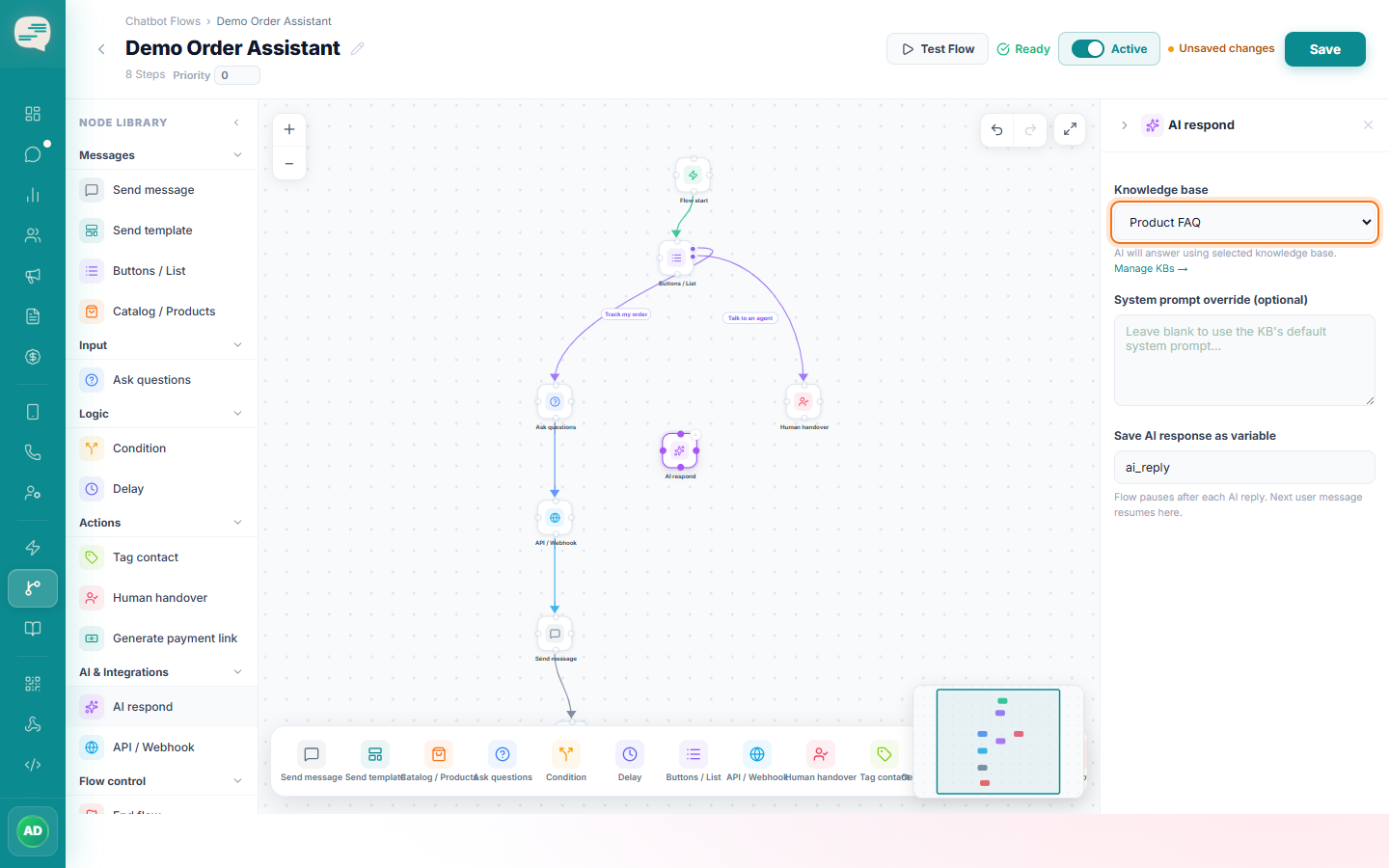
In the flow builder, drag an AI Answer step onto the canvas from the AI & Integrations section.
2
Select the Knowledge Base
Choose which active Knowledge Base this step should search when answering. You can optionally override its system prompt for this specific step.
3
Save the reply as a variable (optional)
You can store the AI's response in a variable if a later step in the flow needs to reference it.
Tip
The AI is instructed to say so honestly when the exact answer isn't in your Knowledge Base, rather than guessing.