

How to Upload PDF/DOCX/TXT Knowledge
Upload documents so your AI can answer questions using their content — PDF, Word, plain text, Markdown, and CSV are all supported.
Beginner 3 min read
Tutorial video coming soon
What You'll Learn
In this tutorial you'll learn:
- Upload a supported document to a Knowledge Base
- Understand that parsing happens in the background
Step-by-Step Guide
1
Upload a file
Dashboard → Knowledge Base → open a knowledge base → Upload
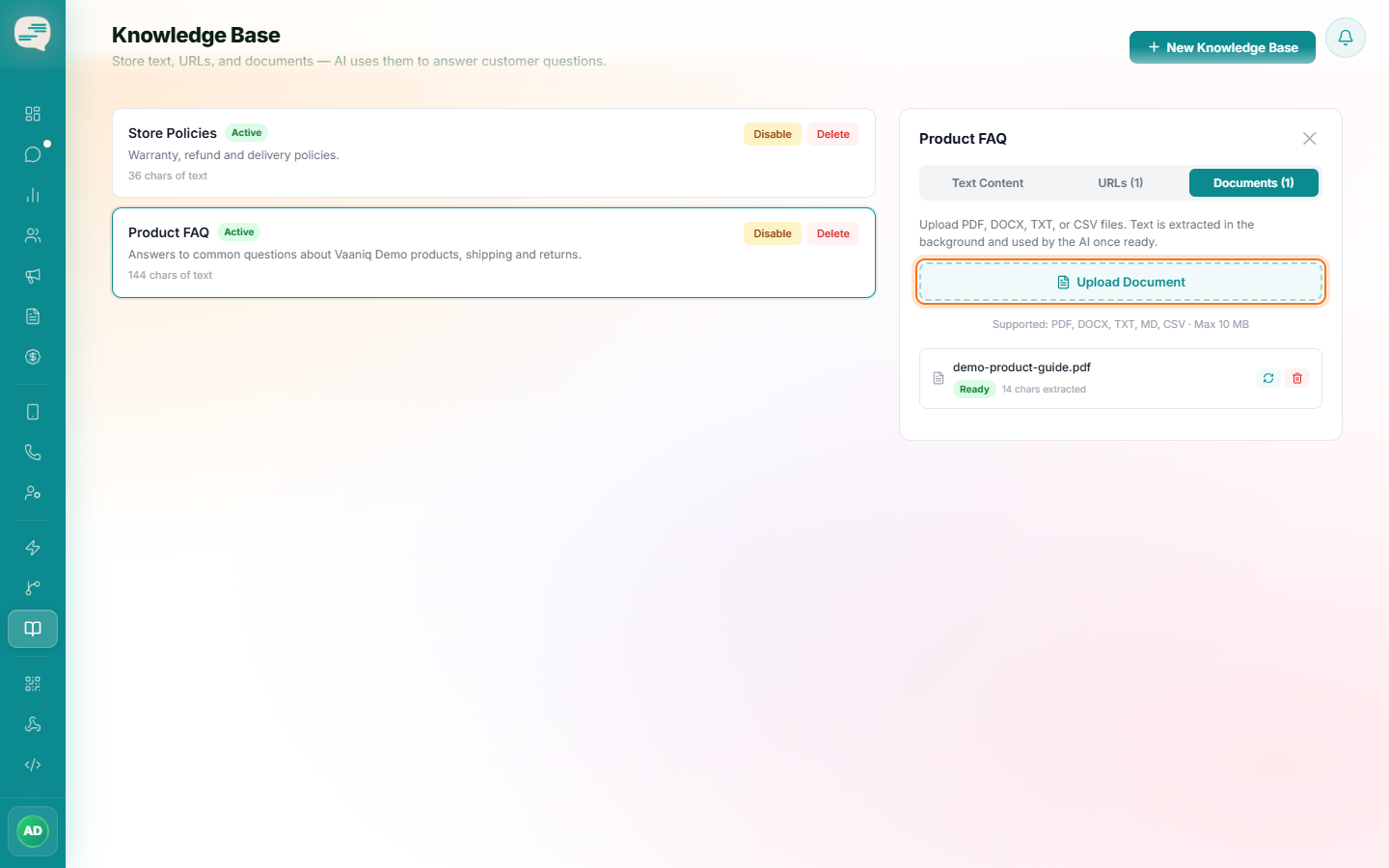
From a Knowledge Base, choose Upload and select a PDF, DOCX, TXT, Markdown, or CSV file (up to 10 MB).
2
Wait for processing
The document is parsed and indexed in the background — its status moves from Pending to Processing to Ready, so it isn't instantly searchable the moment it's uploaded.
3
Replace it later if needed
You can replace an uploaded document in place if the source content changes, without having to re-link it anywhere.