

How to Track Team/Agent Performance
See response times, resolution times, conversations handled, and customer satisfaction per agent.
Intermediate 3 min read
Tutorial video coming soon
What You'll Learn
In this tutorial you'll learn:
- Read per-agent metrics on the leaderboard
- Understand where the CSAT score comes from
Step-by-Step Guide
1
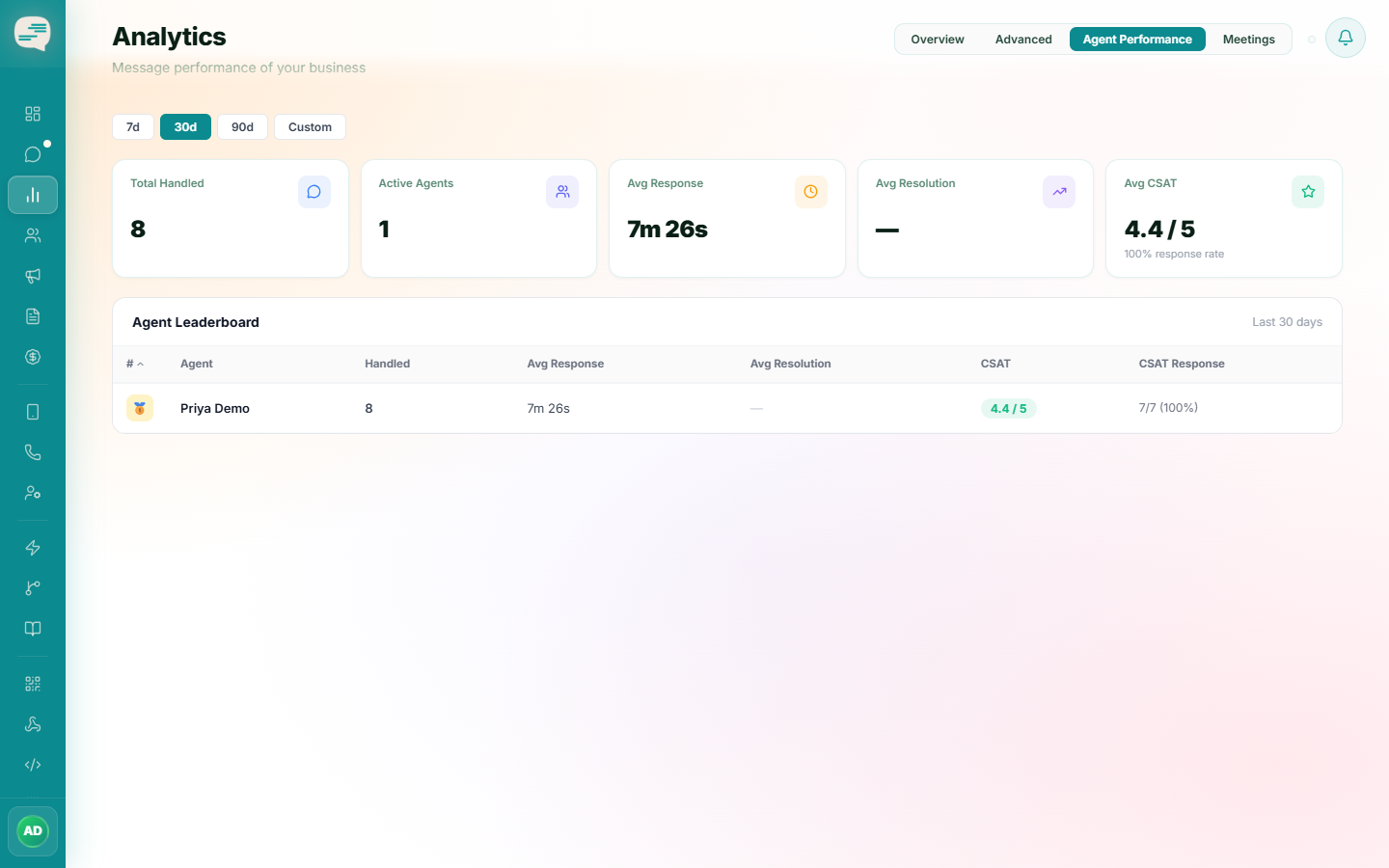
Open the agent performance view
Dashboard → Analytics → Agent Performance
See, per agent: conversations handled, average first response time, average resolution time, and customer satisfaction score.
2
Understand CSAT
A short satisfaction survey is sent to the customer automatically a couple of minutes after a conversation is resolved — that survey's responses roll up into each agent's CSAT score.