How to Track Payment Status
See whether a payment link you sent has been paid, is still pending, or has expired.
Beginner 2 min read
Tutorial video coming soon
What You'll Learn
In this tutorial you'll learn:
- Check the status of a sent payment link
Step-by-Step Guide
1
Open Payment History
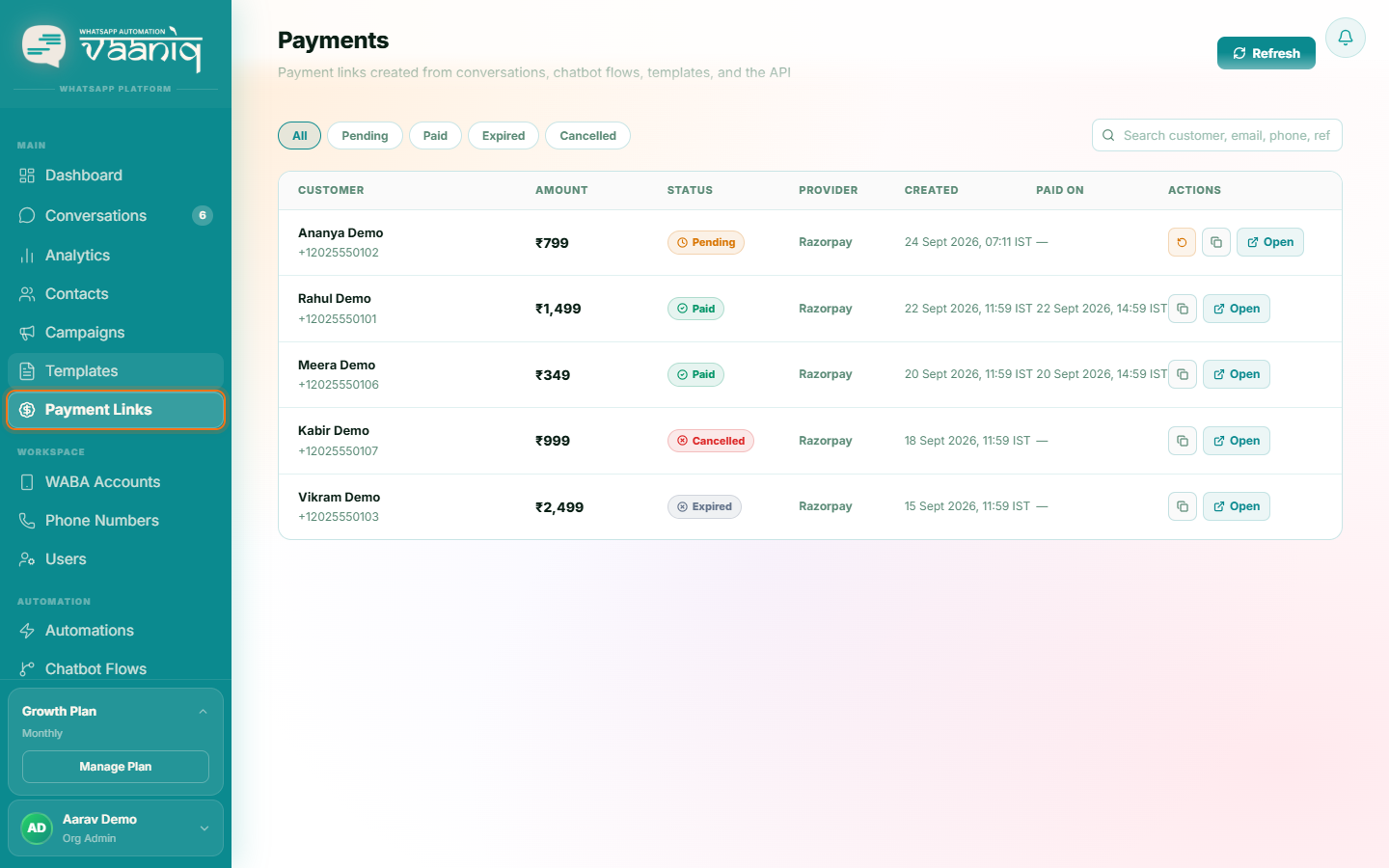
Dashboard → Payment Links
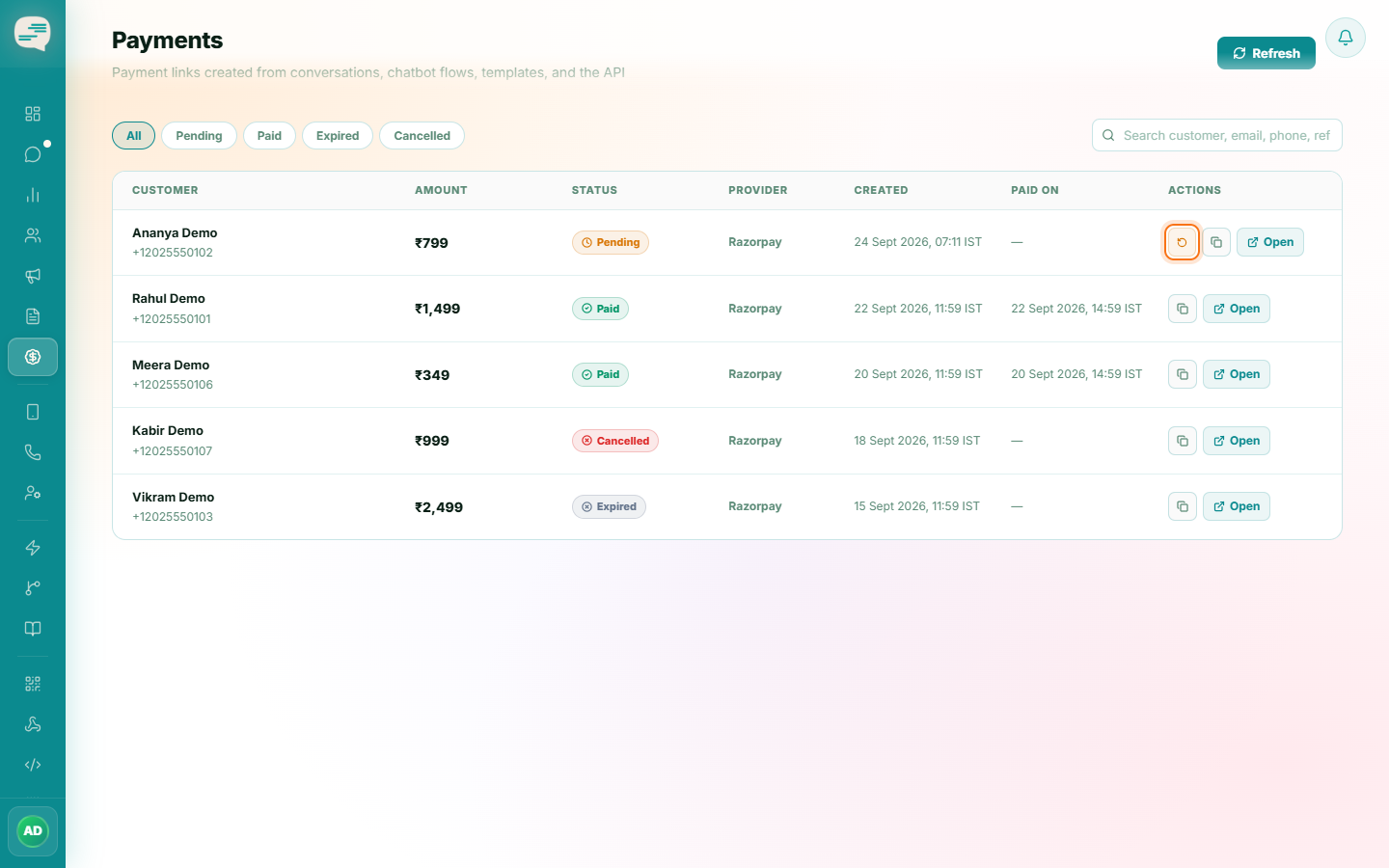
See every payment link you've created, its amount, and its current status: Pending, Paid, Cancelled, or Expired.
2
Status updates automatically
Status updates in real time as Razorpay reports payment events. If it ever looks out of date, you can manually re-sync an individual link's status from Razorpay.